iPhone & Android · Free
Wallpapers,
built twice.
A curated 4K catalogue with a new pick every day — in an iPhone app made of glass and an Android app that takes its colours from your wallpaper. Same pictures. Two apps that each belong where they run.

Free. No account to make, and 4K downloads are included.
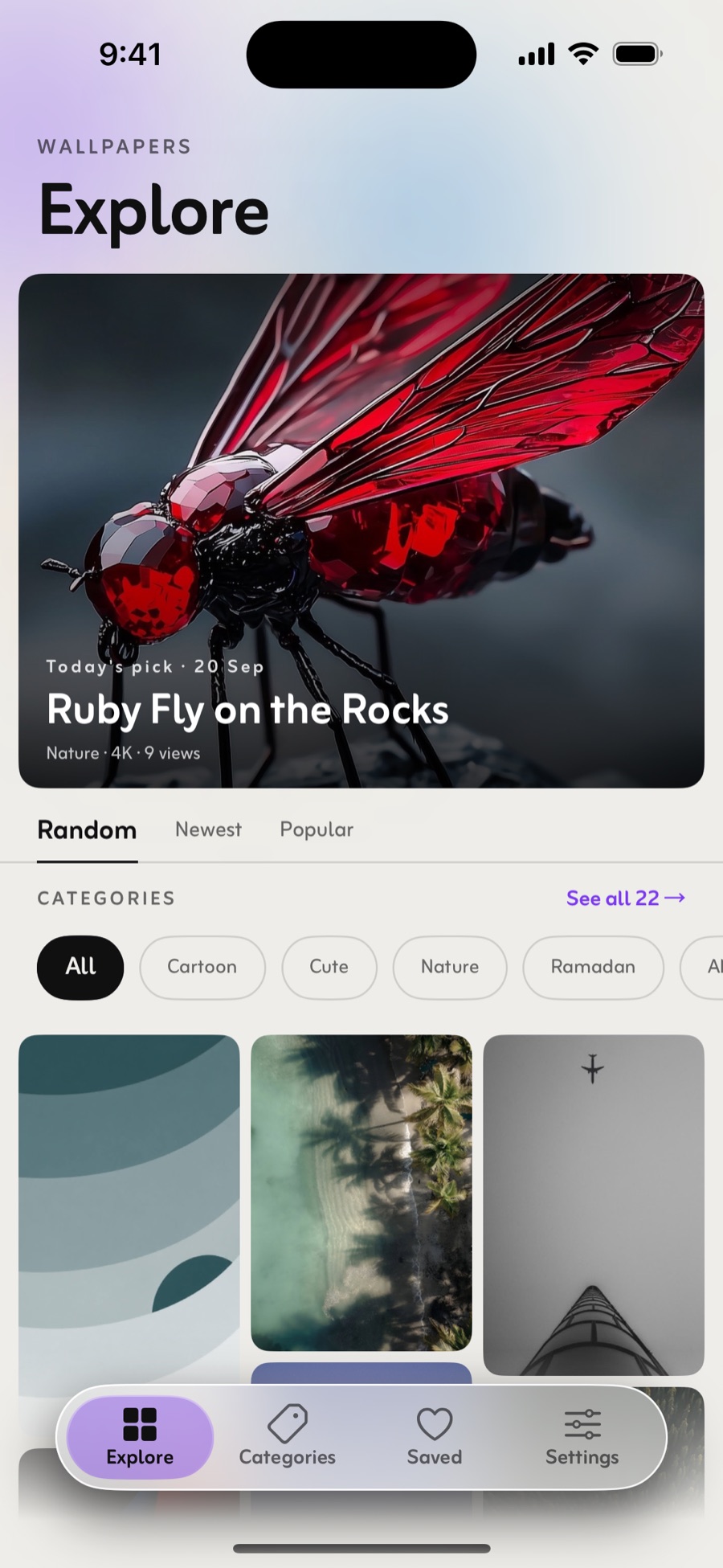
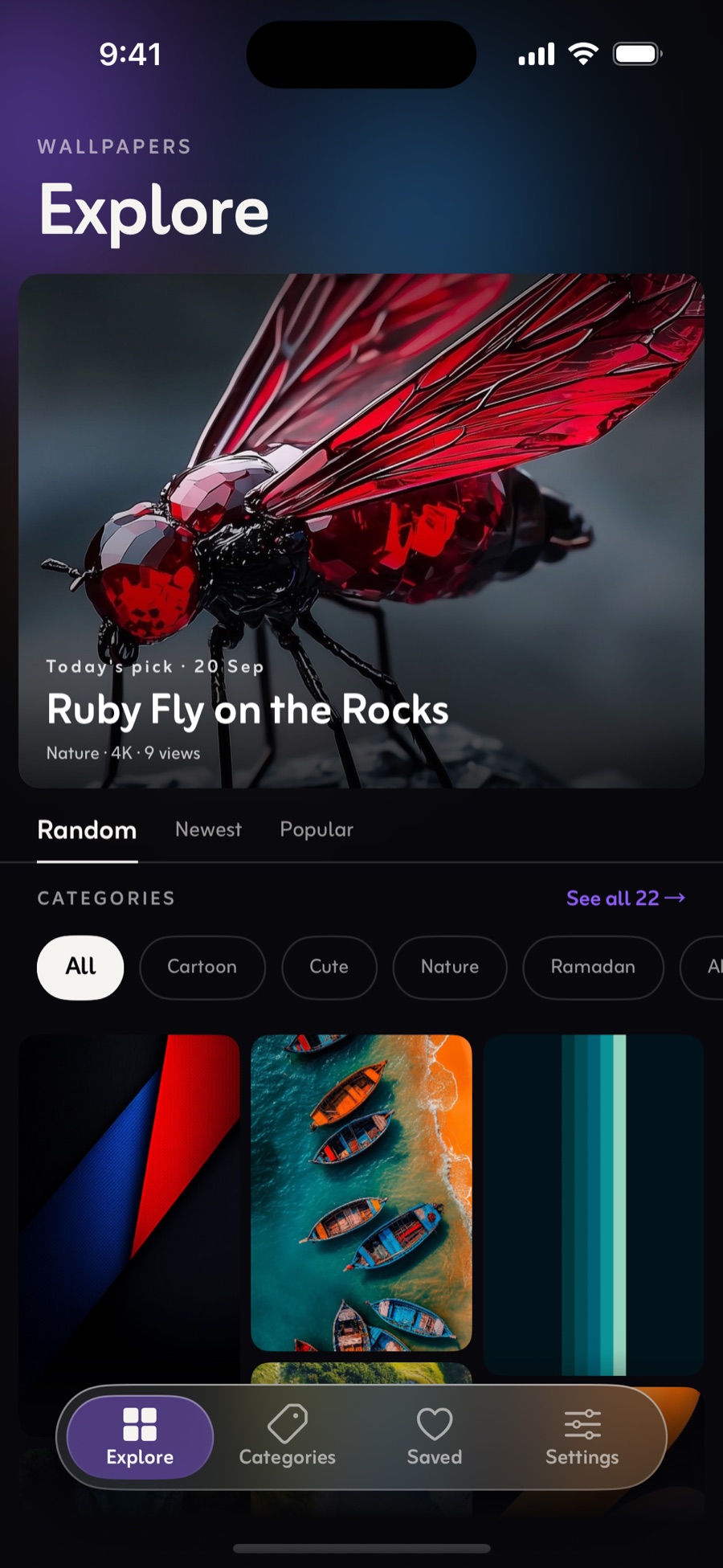
The same app, twice
Two platforms that genuinely disagree.
Most wallpaper apps ship one interface and repaint it. ZaPixel was drawn twice, because on these two phones it isn't the same job — and pretending otherwise is how an app ends up feeling borrowed on both.
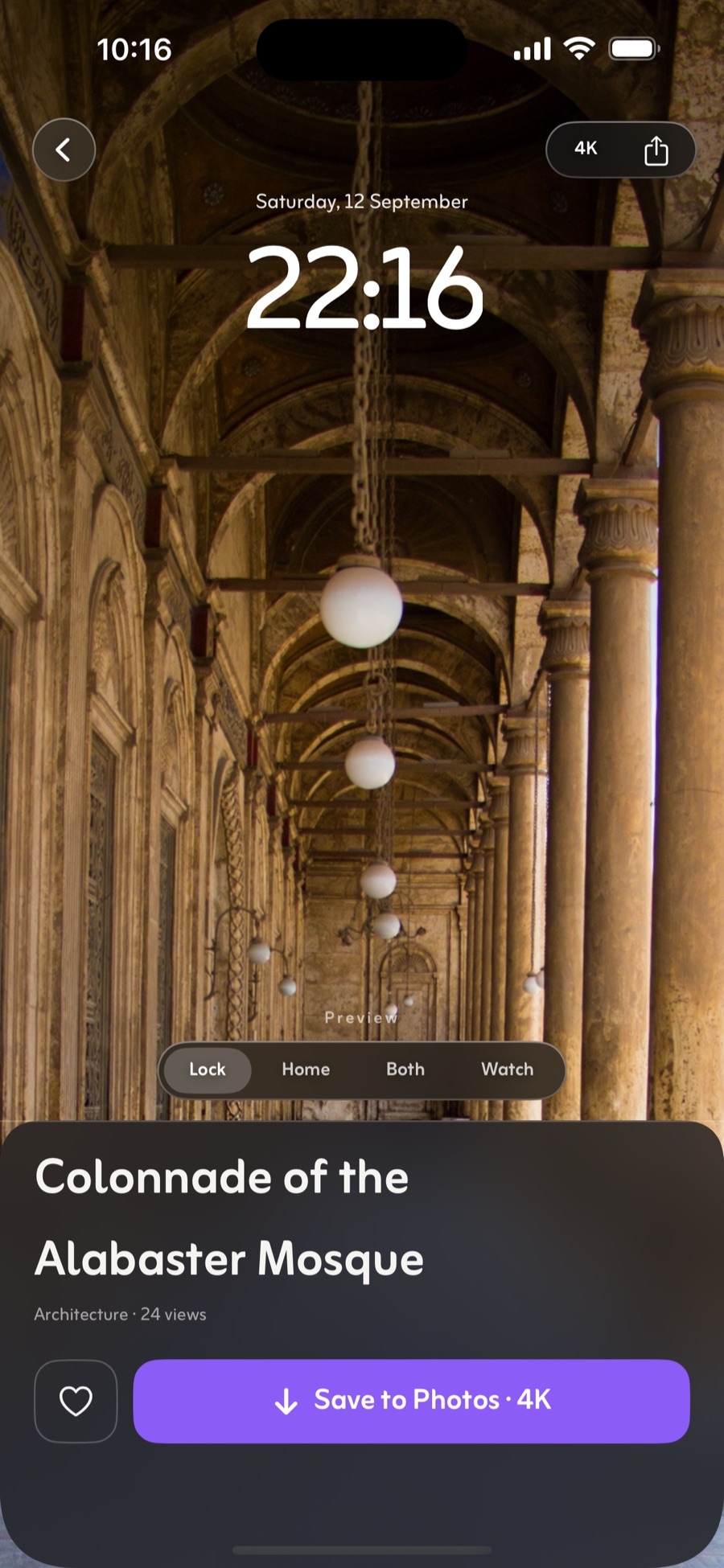
Preview, then saveLock, Home, Both or Watch — then straight to Photos.
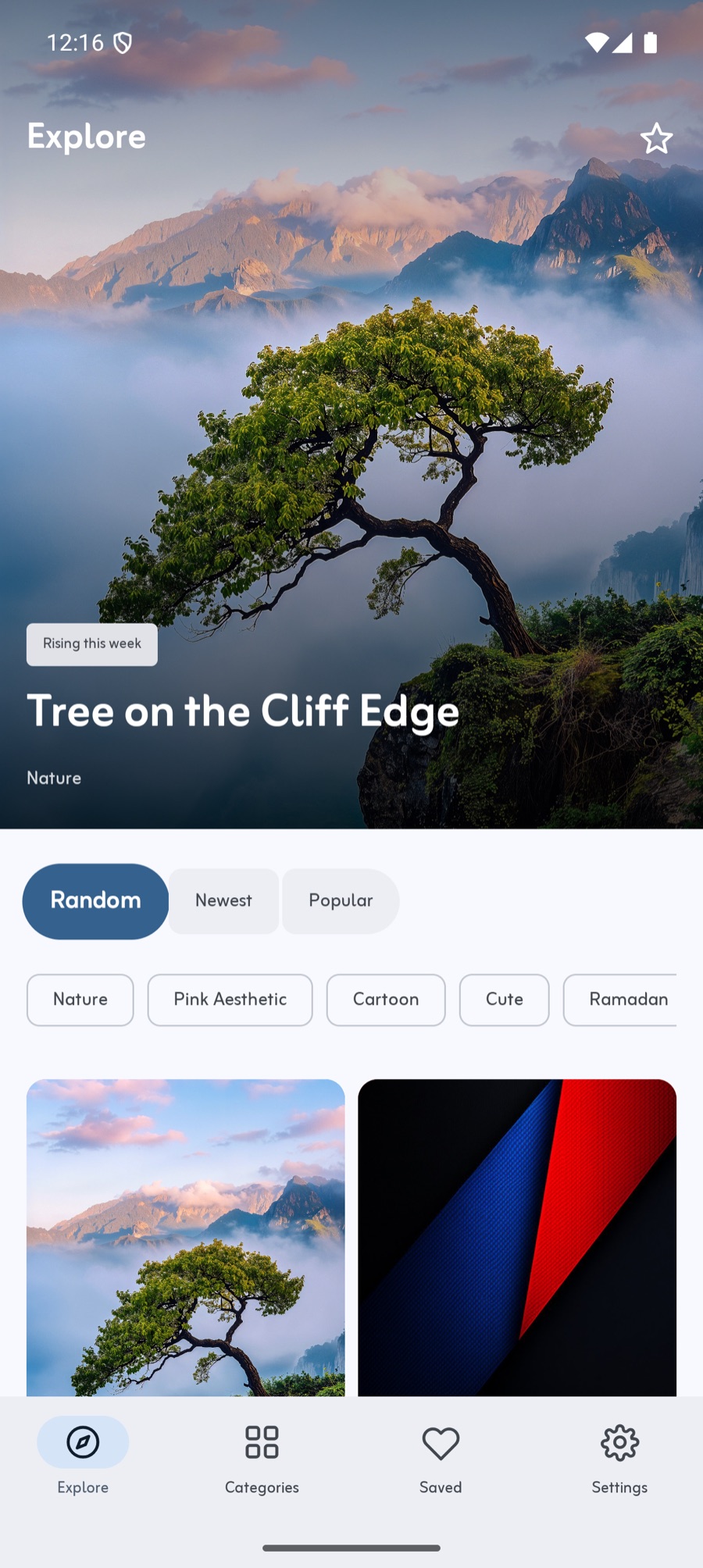
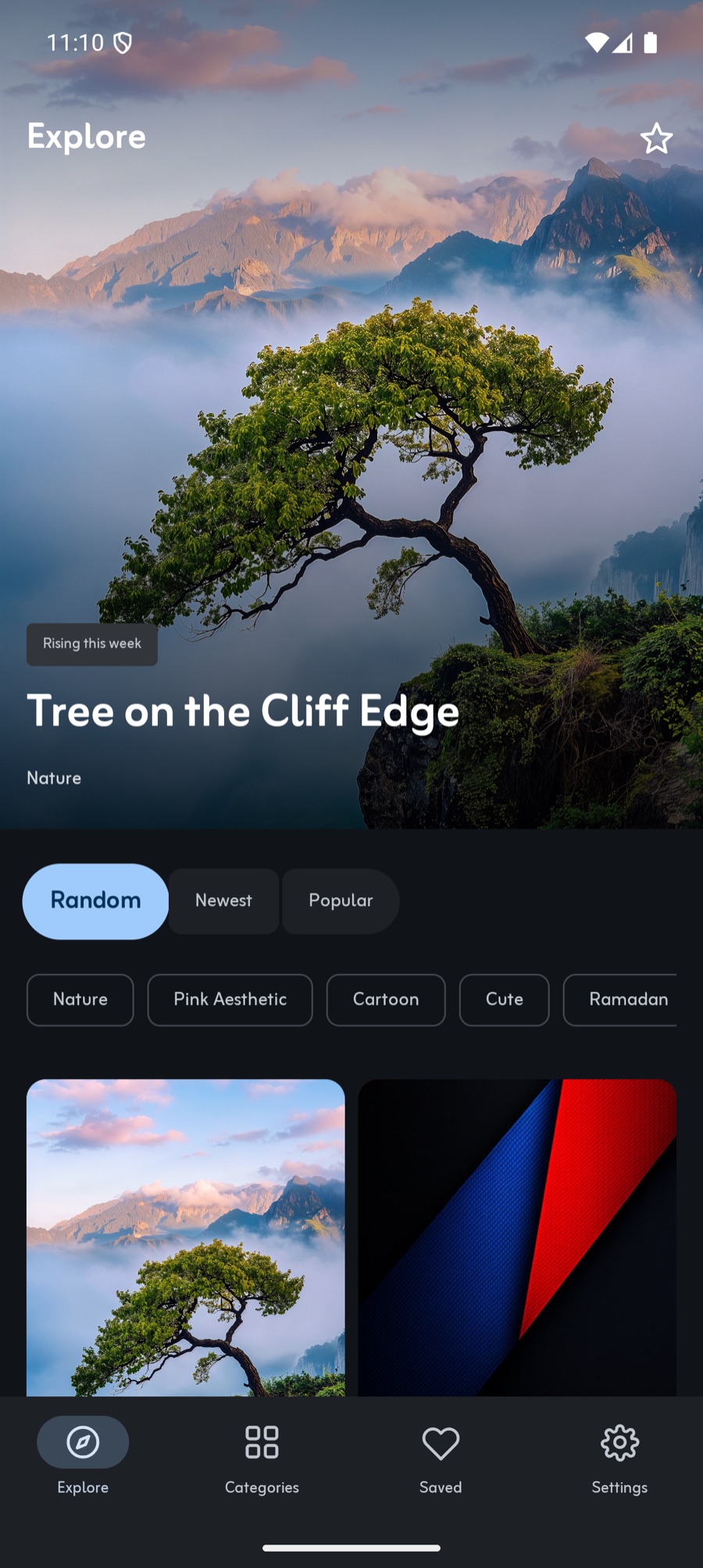
PigmentThat blue is the phone's wallpaper, not our brand.
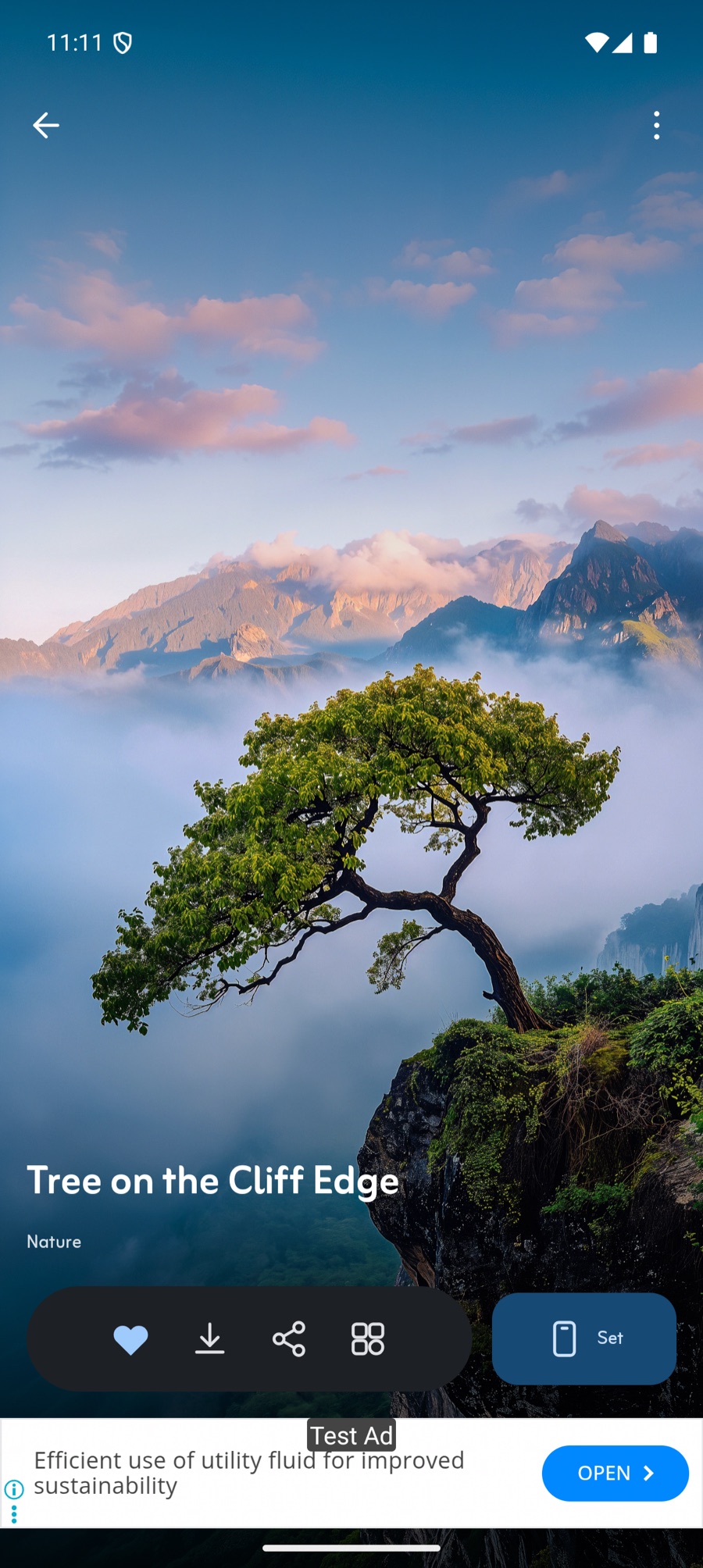
One tap to SetAndroid lets an app do this. iOS doesn't.
Setting it
AndroidOne tap on Set and it's your wallpaper.
iPhoneApple gives no third-party app a way to set your wallpaper. So ZaPixel doesn't mime it: it drops the wallpaper straight into Photos at full resolution, and spends the screen you'd have wasted on a fake progress bar showing you the picture behind a real lock screen first — clock and all — so you know where the subject lands before you commit.
The colour
AndroidAndroid builds your system palette out of your wallpaper, which puts a wallpaper app upstream of how your whole phone looks. So the Android app takes its colours from the wallpaper you're already using. The blue in that screenshot isn't our brand — it's the phone's.
iPhoneOne violet, holding the tab bar and the save button, and nothing else. Every other colour on screen belongs to a photograph.
The material
iPhoneA floating glass tab bar over an ambient ground, with a scrim under anything that has to stay readable on top of an unpredictable picture.
AndroidTonal surfaces, expressive shape and spring physics. Neither app is the other one wearing a costume.
What's in it
Built around browsing, not around a grid.
Today's pick
One wallpaper chosen every day and given the top of the screen, so there's always something new worth looking at without going hunting for it.
See it before you save it
Drop any wallpaper behind a mock lock screen, home screen or watch face and see exactly where the clock and the icons land — before you find out the hard way.
Browse by category
Nature, Abstract, Minimal, Dark, Cars, Anime and more — ordered by how much is actually in them, not alphabetically. Mark the ones you like as preferred, hide the ones you never want, and your Explore feed follows.
Saved, on your device
Keep what you like in one place. Stored locally, so it works signed out — and there's nothing to sign out of, because there's no account.
4K, or lighter
Download at full resolution, or drop to a smaller file when you're on a slow connection. Your choice sticks until you change it.
Light, dark, or system
The whole app follows your choice, and the dark theme is built for an OLED screen rather than just inverted.
What it costs
Nothing. There's no Pro tier to upsell you to.
Every picture in the catalogue is free to browse and free to keep, at full resolution. There is no subscription, no locked wallpapers and no account.
What you get
- The entire catalogue. Nothing is locked.
- 4K downloads, as many as you like.
- Today's pick, categories, preview and Saved.
- No sign-up. Open it and start browsing.
How it pays for itself
- The Android app shows ads. That's the whole business model — we'd rather say so than let you find out after you install it.
- No account means nothing to sell. Your Saved list never leaves your phone.